Image Compressor
This optimizer uses advanced lossless & lossy compression techniques to reduce your image file size while maintaining maximum visual quality. Works smoothly on all devices including mobile, tablet, and desktop.
Upload multiple images at once, control compression level, preview before downloading, and get lightning-fast results with our optimized processing engine.
Supports JPG, PNG, WebP, SVG and more. Perfect for web developers, designers, photographers, and anyone who wants to save storage without losing quality.
Upload up to 20 images. Click a thumbnail to open preview and controls. Drag the divider to compare original vs compressed.
Explore more tools
How to Use
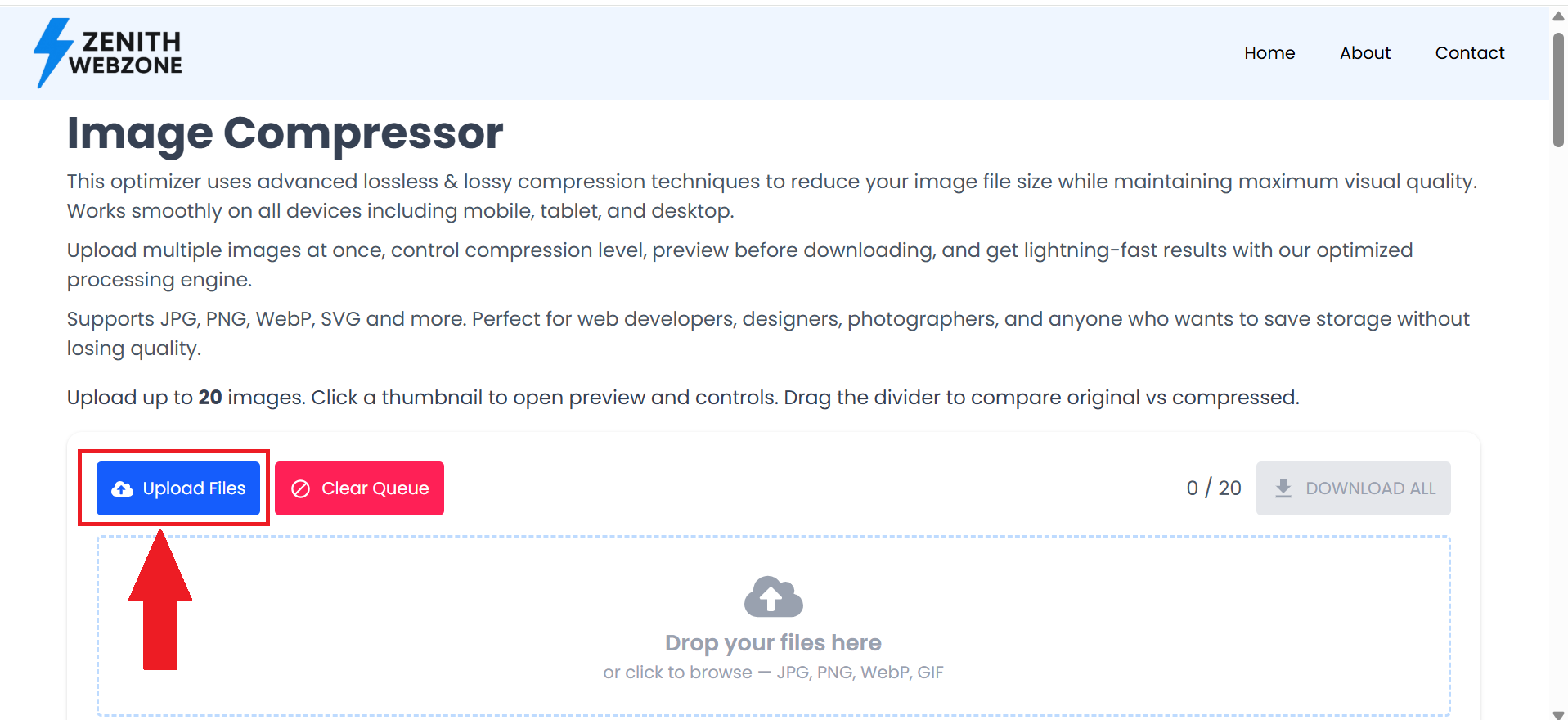
First of all, click on the upload file button.
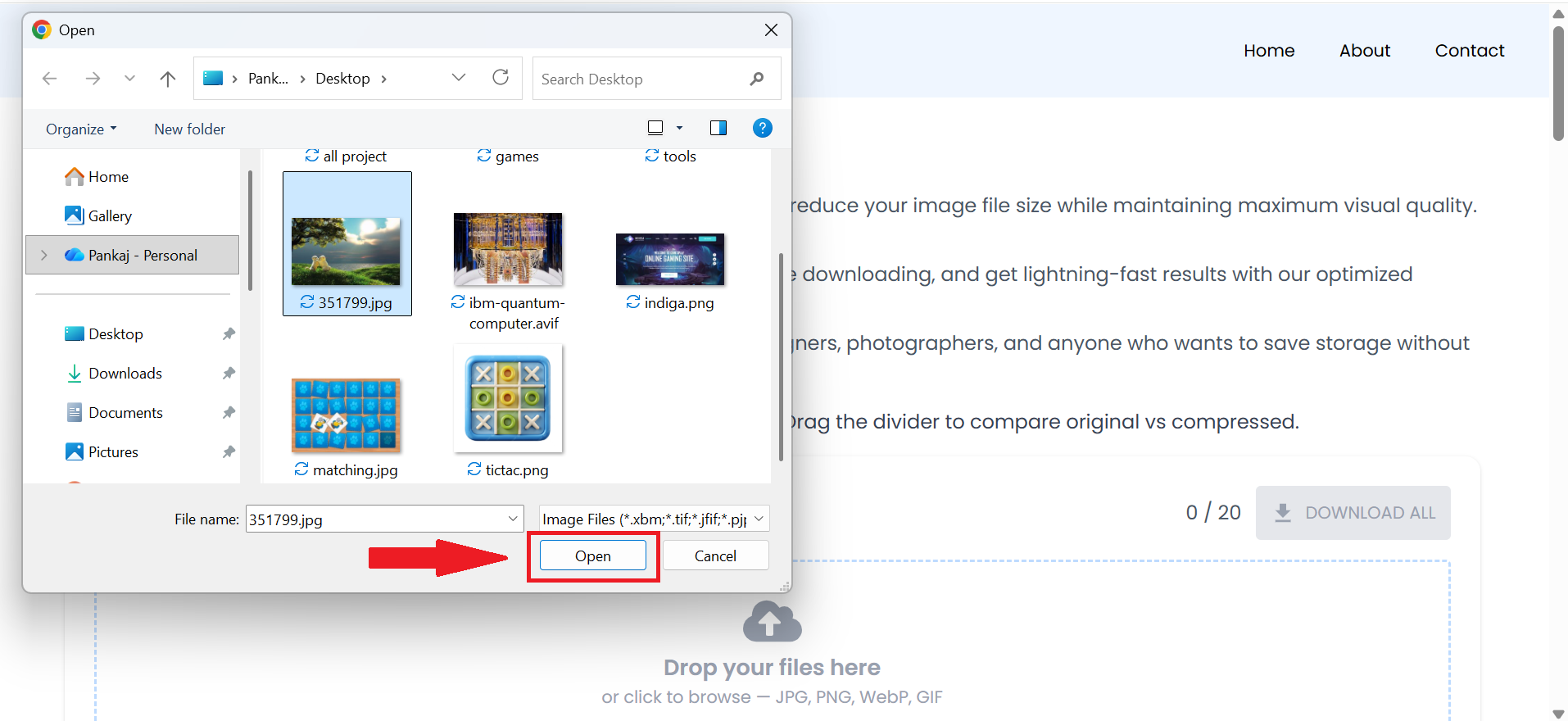
An image selection option will open. Select the image you want to compress. You can select multiple images.
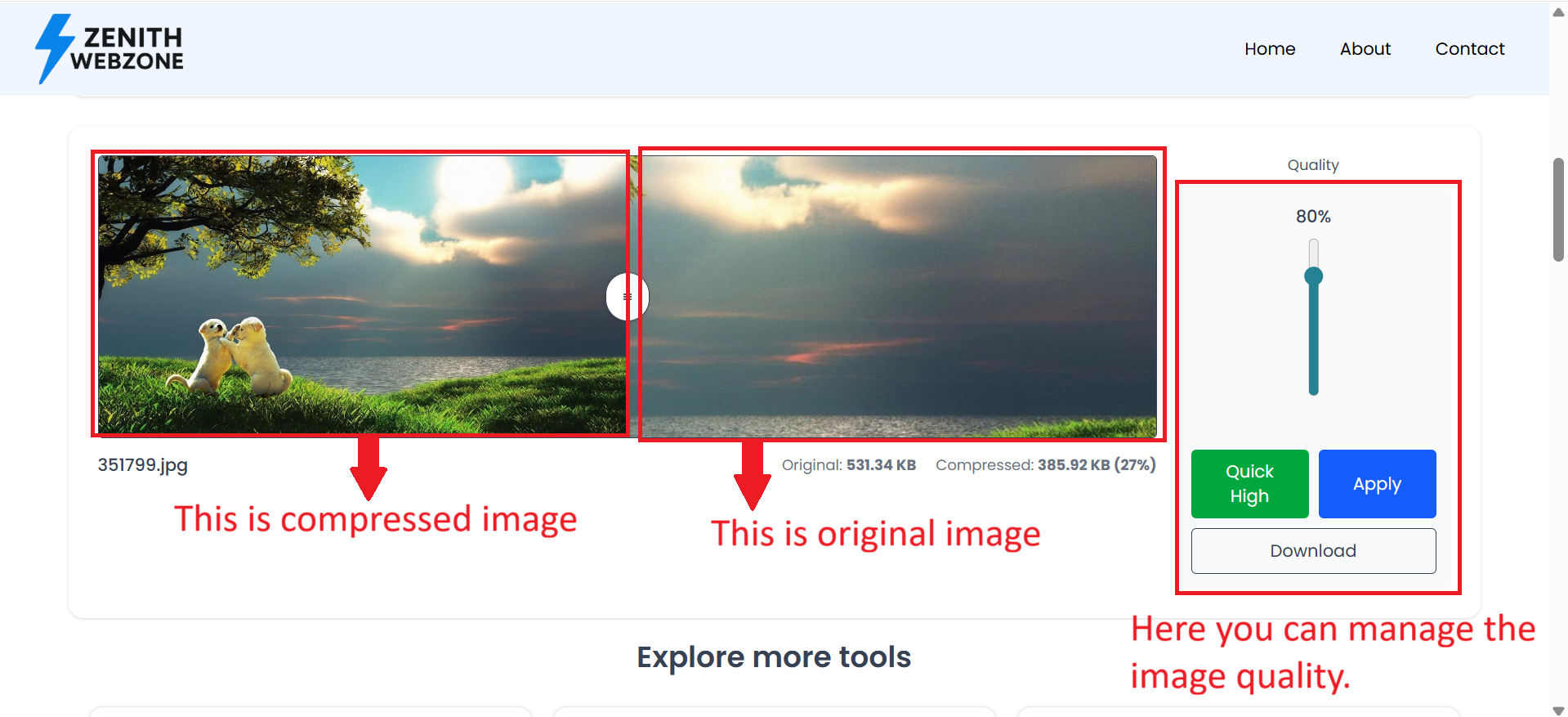
Using the Image Compressor is simple and intuitive. You can drag and drop images into the dropzone or click the upload button to select files manually. The tool allows you to add up to twenty images at once, making it ideal for batch compression. After uploading, you can open any image to view a full preview along with adjustable compression controls. The quality slider lets you decide the balance between image size and clarity, while the comparison divider helps you visually inspect the difference between the original and compressed version in real time. When you're satisfied, you can download each optimized image individually or download all compressed files together as a ZIP archive.
Why Use Image Compression?
Image compression is essential for improving website performance, user experience, and overall efficiency. Compressed images help websites load faster and improve SEO performance. They reduce bandwidth usage, making them perfect for social media uploads, email attachments, and cloud storage. For developers and businesses, optimized images decrease hosting and CDN costs while boosting page loading speed. Even for personal use, compressing images helps free up storage on phones, laptops, and external drives. With this tool, you can compress images instantly without needing any software or online upload.
Features
This tool offers a wide range of powerful features designed for reliability and convenience. Everything happens offline in your browser, ensuring the fastest processing speeds with total privacy. It supports multiple image formats, allows batch processing, offers real-time preview comparison, and outputs images without any watermarks. The interface is responsive and works flawlessly on desktops, tablets, and smartphones. You can export optimized images individually or download all compressed files in a single ZIP package, making the workflow extremely efficient.
Tips for Best Results
For optimal compression results, slight quality reduction often creates a dramatically smaller file while keeping the image visually identical to the human eye. WebP format typically provides the smallest file size with excellent clarity, making it ideal for web use. Photographic images compress better than graphics or text-based images, while screenshots often look best in PNG format. For large high-resolution photos, converting them to WebP or lightly reducing the quality slider can save a significant amount of space. Experimenting with different settings will help you find the right balance between file size and visual quality.
Frequently Asked Questions (FAQ)
What is an online image resizer?▼
An online image resizer is a tool that allows you to adjust the width, height, and overall dimensions of images without installing any software. It works directly in your browser and supports formats like JPG, PNG, and JPEG.
How do I resize an image online?▼
Just upload your image, choose new dimensions (width, height, or percentage), and download the resized version instantly. You can also adjust quality or maintain aspect ratio easily.
Is this image resizer free to use?▼
Yes! The Image Resizer on Zenith Webzone is completely free. You can resize unlimited photos without creating an account.
Does resizing an image reduce quality?▼
Not necessarily. Our tool lets you resize images while maintaining high quality, thanks to optimized compression and smart scaling algorithms.
Can I compress images using this tool?▼
Yes, you can reduce file size while resizing. The tool allows quality adjustment so you can find the perfect balance between size and clarity.
Is it safe to resize images online?▼
Absolutely. All resizing happens instantly in your browser, and your images never leave your device. Nothing is uploaded or stored on any server.
Does the image resizer support PNG and JPEG formats?▼
Yes. You can resize JPG, JPEG, PNG, and even WebP images easily using this tool.
Can I resize images in bulk?▼
Currently, the tool supports one image at a time, but bulk image resizing may be added in future updates.
Can I resize photos without losing aspect ratio?▼
Yes. You can lock the aspect ratio so the tool automatically adjusts height or width to maintain perfect proportions.
Does this tool work on mobile devices?▼
Yes! The image resizer works smoothly on Android, iOS, tablets, laptops, and desktops without needing any app installation.