JPG to PDF
Our JPG to PDF converter offers precise image processing with automatic cropping, duplicate detection, drag-and-drop reordering, and adjustable quality controls. Perfect for photos, scanned notes, receipts, documents, certificates, and professional work.
Drop images here or click Upload
Explore more tools
How to use tool
First of all, click on the upload button on the top right side.
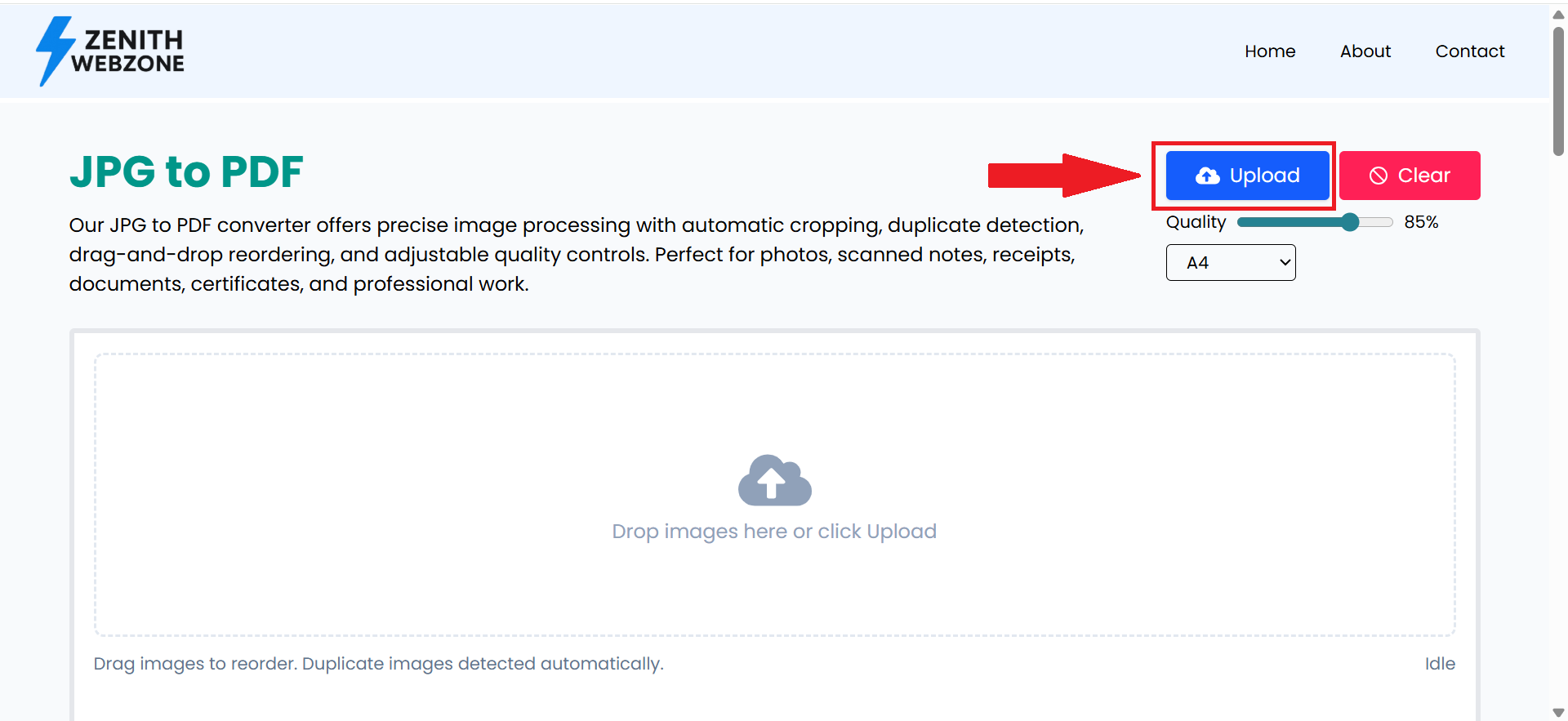
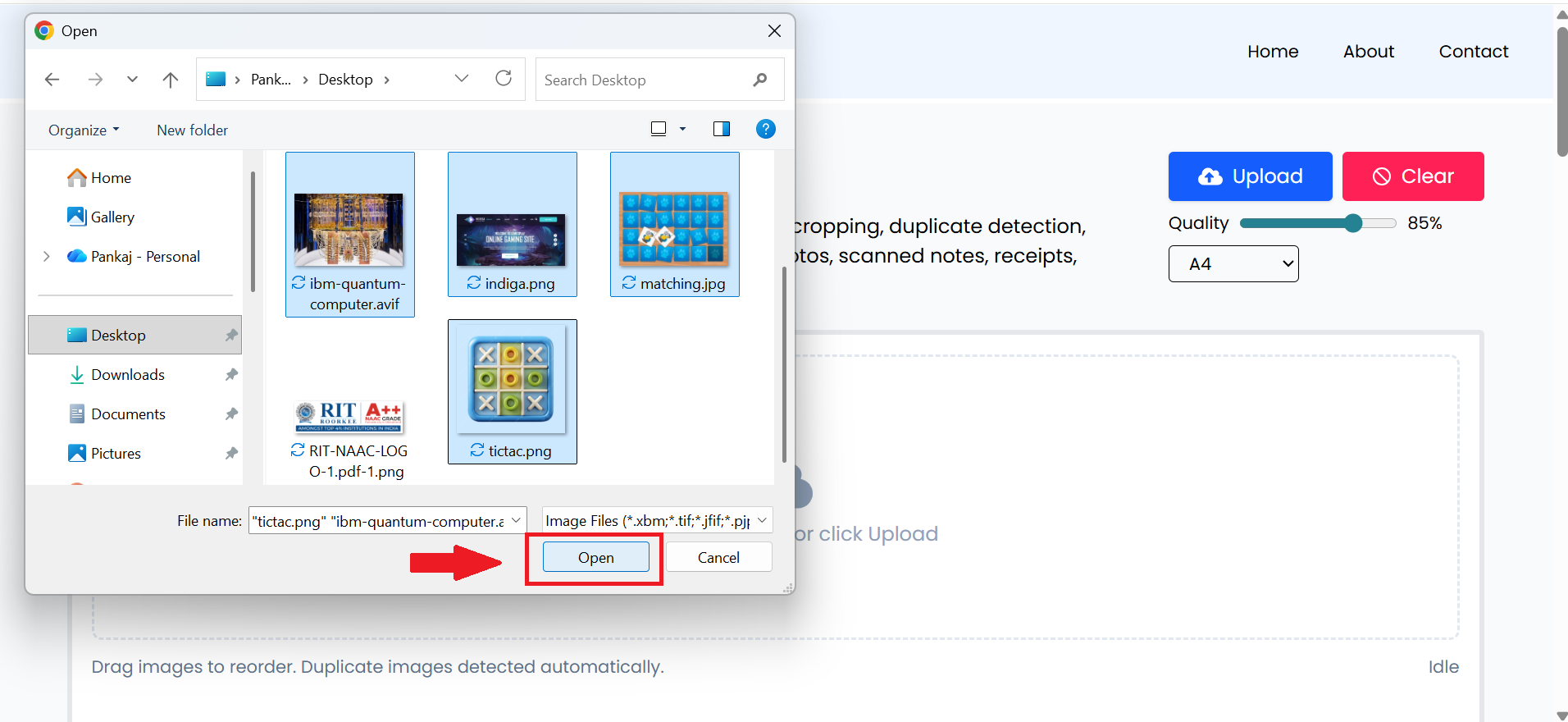
Now options will open in front of you to select the image. Here you can select one or more images which you want to convert into PDF.
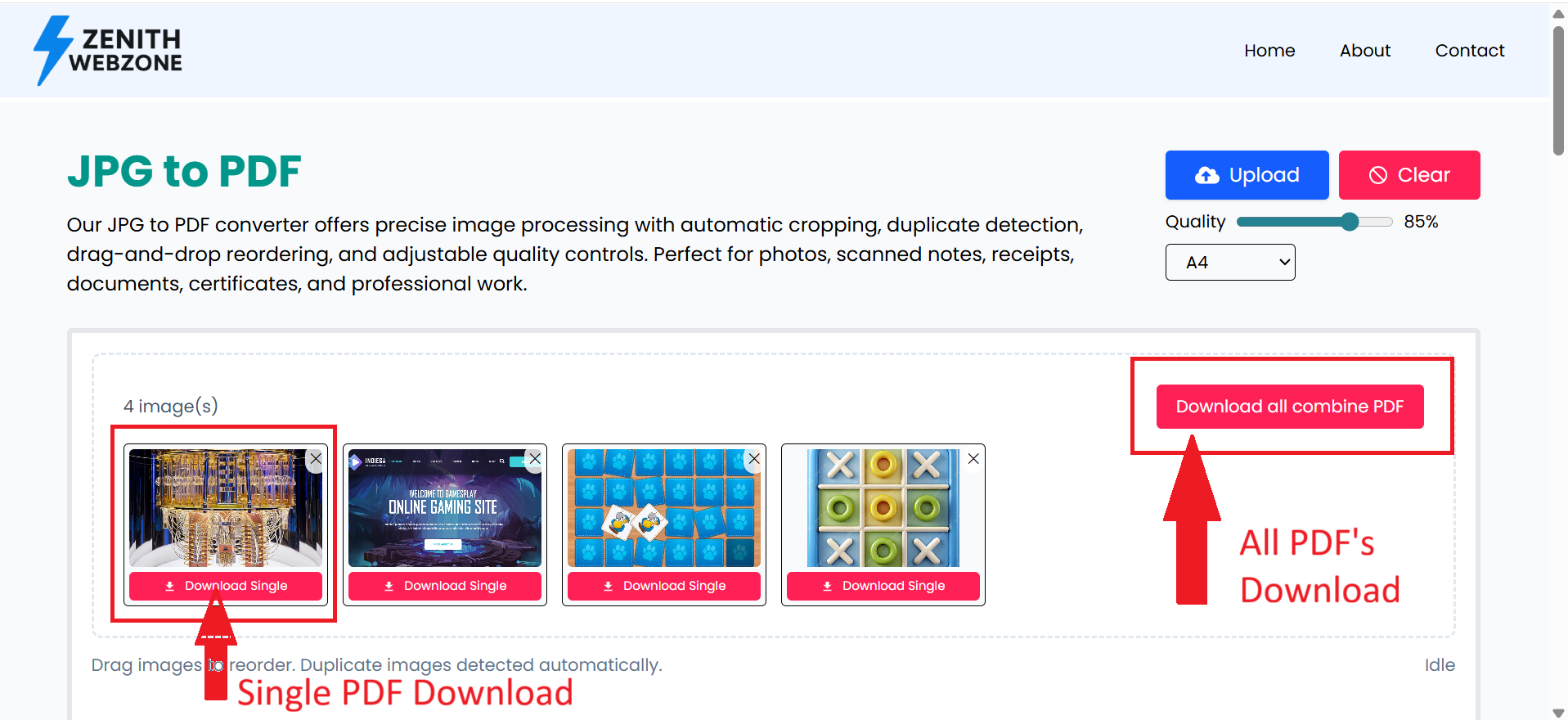
As soon as you upload your image, this tool instantly converts it to a PDF. You'll see the converted PDF. Here, you can download a single PDF or combine all the PDFs. Below, you'll see a sample converted PDF in the image.
What is JPG to PDF Conversion?
JPG to PDF conversion allows you to turn regular image files into well-formatted PDF documents. A PDF makes your images easier to print, share, upload, and store without losing quality. Whether you have scanned notes, receipts, photos, certificates, or documents — converting them to a single PDF file keeps everything organized and professional.
Features of This JPG to PDF Converter
This JPG to PDF converter delivers a smooth, fast, and privacy-focused conversion experience. Upload multiple JPG files at once using drag & drop or a simple click. Reorder your images by dragging thumbnails to adjust the page sequence easily.
The tool automatically crops extra whitespace, detects duplicate images using aHash technology, and gives you full control over output quality with a slider ranging from 40% to 100%. You can also choose page sizes like A4, US Letter, or retain the original image dimensions.
Everything works **100% offline inside your browser**, ensuring complete privacy and zero uploads. You can also download single images as PDFs or clear all files with one click.
How to Use the JPG to PDF Converter
Using the JPG to PDF converter is very simple. First, upload your images by clicking the “Upload Images” button or by dragging and dropping your JPG files into the tool. After uploading, you can easily reorder the images by dragging the thumbnails into the desired order. Next, choose your preferred output quality between 40% and 100%. You can also select a page size such as A4, Letter, or keep the Original size. Once everything is ready, click “Combine PDF” to generate your final PDF. If needed, you can even download individual images as PDF files or use the “Clear All” option to reset everything.
Frequently Asked Questions (FAQ)
What is a JPG to PDF converter?▼
A JPG to PDF converter is an online tool that converts your JPG or JPEG images into a high-quality PDF document. It is useful for creating printable files, merging photos, and organizing documents.
How do I convert JPG to PDF online?▼
Simply upload your JPG image, wait for the tool to process it, and download your PDF. The entire process is fast, secure, and works directly inside your browser without installation.
Is this JPG to PDF converter free?▼
Yes! The JPG to PDF converter on Zenith Webzone is completely free to use. You can convert unlimited JPG images without any signup or watermark.
Can I merge multiple JPG images into one PDF?▼
Yes, the tool allows you to upload multiple JPG or JPEG files and merge them into a single PDF document instantly.
Will the PDF maintain the image quality?▼
Absolutely! Our tool ensures high-quality PDF output so your images remain sharp and clear even after conversion.
Is it safe to convert images to PDF online?▼
Yes. All conversions take place securely on your device or browser session. No images are stored or shared, ensuring complete privacy.
Does this tool work on mobile devices?▼
Yes, the JPG to PDF converter is responsive and works perfectly on Android, iOS, tablets, laptops, and desktops—no app download needed.
Can I convert JPEG, PNG, or other formats to PDF?▼
Yes. Along with JPG and JPEG, you can also convert PNG images to PDF using the same tool.
Is there any watermark on the converted PDF?▼
No. The generated PDF files are completely watermark-free, giving you clean and professional-quality documents.
Why should I convert JPG to PDF?▼
PDF format is ideal when you need to store, print, share, or organize images in a single document. It is more professional, secure, and universally supported.